
By Mirelo Team |
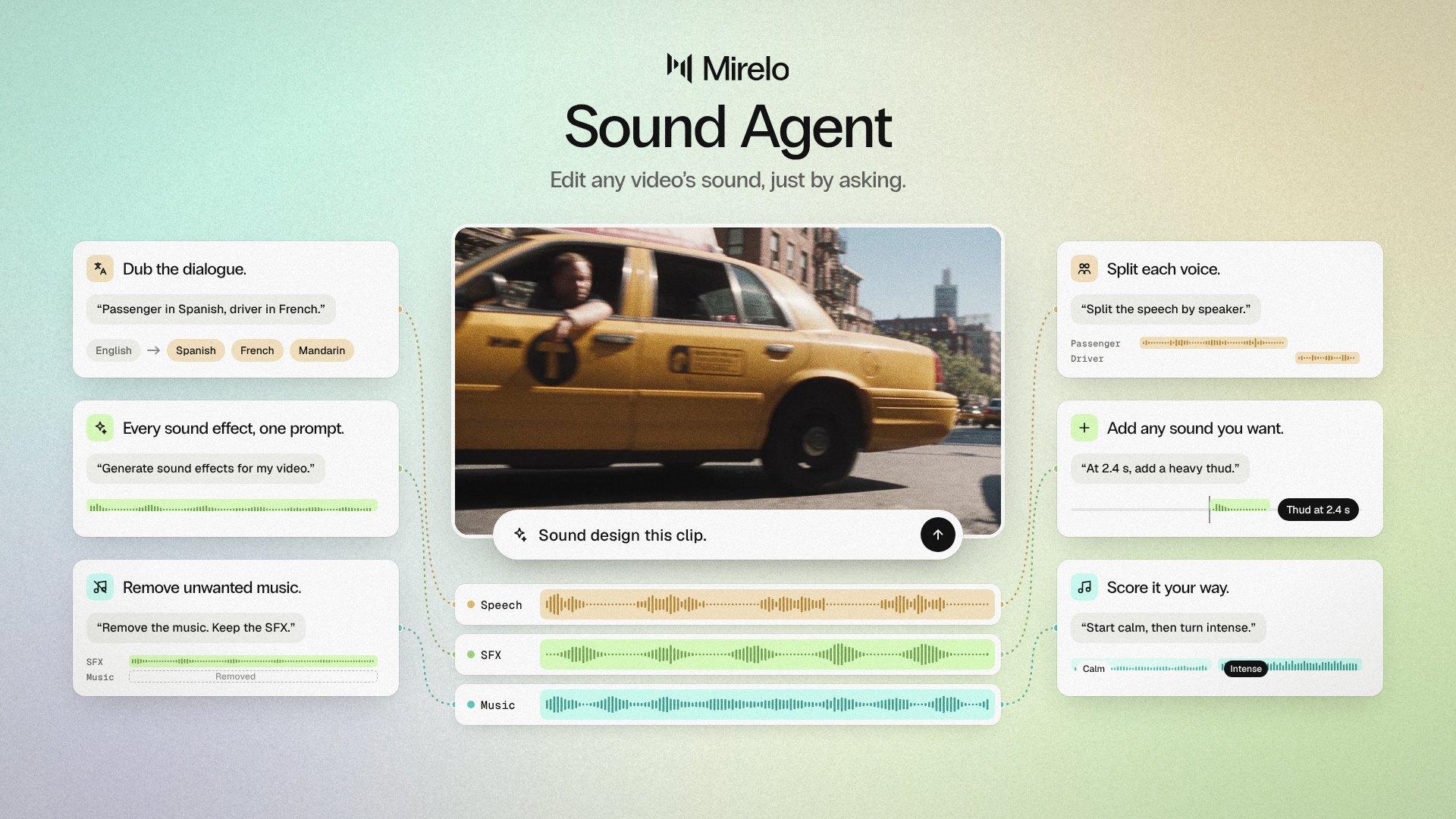
The Mirelo Sound Agent is an AI sound design agent in Mirelo Editor that edits your video's audio from plain-language prompts. Upload a silent or badly mixed video, ask for the sound you want, and the agent analyses the picture and the sound, generates sound effects and music, separates dialogue from the background, removes music, dubs into other languages and moves clips on the timeline for you. It shows the cost before every paid step, and it works on the audio only, so your picture stays exactly as you cut it.
Video models now generate sound along with the picture, and for a single clip that can be enough. Stitch several clips into one video and the problems show up: music you never prompted for, a car that sounds different in every shot, ambience that jumps at each cut, and no way to change any of it without regenerating the take you liked. The Sound Agent gives you that control back, one prompt at a time.
| Area | What the agent does |
|---|---|
| Understand the video | Analyses the picture and the sound before it changes anything |
| Sound effects | Generates sound effects from the video itself or from a description |
| Stems | Splits dialogue from the background, removes music, separates speakers, recovers speech and isolates a single voice |
| Music | Suggests musical directions first, generates the track, then describes the result so you can refine it |
| Voice | Dubs your video into other languages and changes a voice's accent, tone or pitch while keeping the words and timing |
| Timeline edits | Places, moves, duplicates, splits, removes and restores clips, changes speed, adds tracks and cue markers, lets you pick between versions and undoes changes |
| Cost and approvals | Shows the cost before each paid step, stops at a credit cap you set and asks before it deletes anything |
"Sound design this clip"
Upload a silent or badly mixed video and the agent works out what is on screen, then builds the sound effects and ambience around it. From there you keep asking until it sounds the way you pictured it, with no timeline skills and no stock library to search.
"Remove the music and give me something tense with strings"
Music that came baked into a generated clip, has the wrong mood or cannot be used comes out, and the agent suggests a direction for the new track before it generates one. Ask for a different mood and it describes what changed, so each version gets closer to what you asked for.
"Separate the voice from the background"
Podcasts, vlogs and field recordings often bury the voice under everything else. The agent splits the dialogue from the background so you can turn one down, bring the other up or keep only the speech.
"Add a door slam at 0:12" · "Slow down the whoosh"
When the cut is nearly there and one moment is missing, name the sound and the time, or the clip you want changed. The agent places it on the timeline, and you can move, duplicate, split or undo it with the next prompt.
"Add rainy city ambience under the whole scene"
Narrative shorts and mood pieces live on what sits underneath the action. Ask for the ambience or room tone you want and the agent lays it under the scene, so every shot of the same place sounds like the same place.
"Dub this into Spanish"
For brands going into new markets and for character work, the agent dubs the video into any of 32 languages from the same project.
"Add sound effects, keep what they're saying" · "Remove the phone ringing" · "Give the narrator a deeper voice"
Every paid step shows its cost before it runs, so nothing is charged without you seeing it first. The agent also stops at a credit cap, which starts at 1,000 credits and which you can change, and it asks for approval before it deletes anything, with changes you can undo and earlier versions you can go back to.
| One-click Mirelo SFX 2.0 | Sound Agent | |
|---|---|---|
| How you ask | One click on the whole video | Plain-language prompts, one after another |
| What it does | Generates the sound for the video in one pass | Generates, removes, separates, dubs and edits clips on the timeline |
| Changing the result | Run it again | Ask for the change you want |
| Best for | A fast sound pass with no direction needed | A specific result you want to shape step by step |
For more on the model behind the sound, read Mirelo SFX 2.0: change the sound, keep the video, and for keeping speech while changing everything around it, see Add AI sound effects without losing dialogue.
No. The Sound Agent works on the audio only. It changes the sound effects, music, dialogue and audio clips on your timeline and leaves the picture as you cut it.
No. You describe what you want in plain language and the agent does the timeline work, from placing a sound at a set time to splitting or moving clips, so you write the change and the agent makes it.
Yes. The agent splits dialogue from the background and removes the music, and it can generate a new track in a direction you choose.
The Sound Agent dubs into 32 languages. Ask for the language in your prompt, for example "Dub this into Spanish".
The Sound Agent uses the credits in your Mirelo account. It shows the cost before each paid step and stops at a credit cap you can change, so you always know what a request will spend. See pricing for the free and paid plans.
Yes. You can undo changes, restore removed clips and pick between versions of a sound, and the agent asks for approval before it deletes anything.
The Sound Agent is in Mirelo Editor.