
Load Mirelo on any audio track, drop in a file or record the track as it plays, and every instrument in the mix comes back as its own MIDI file. Preview the MIDI, then drag it straight into your project.
VST3 for macOS and Windows · Free to try · Powered by Audio-to-MIDI Pro
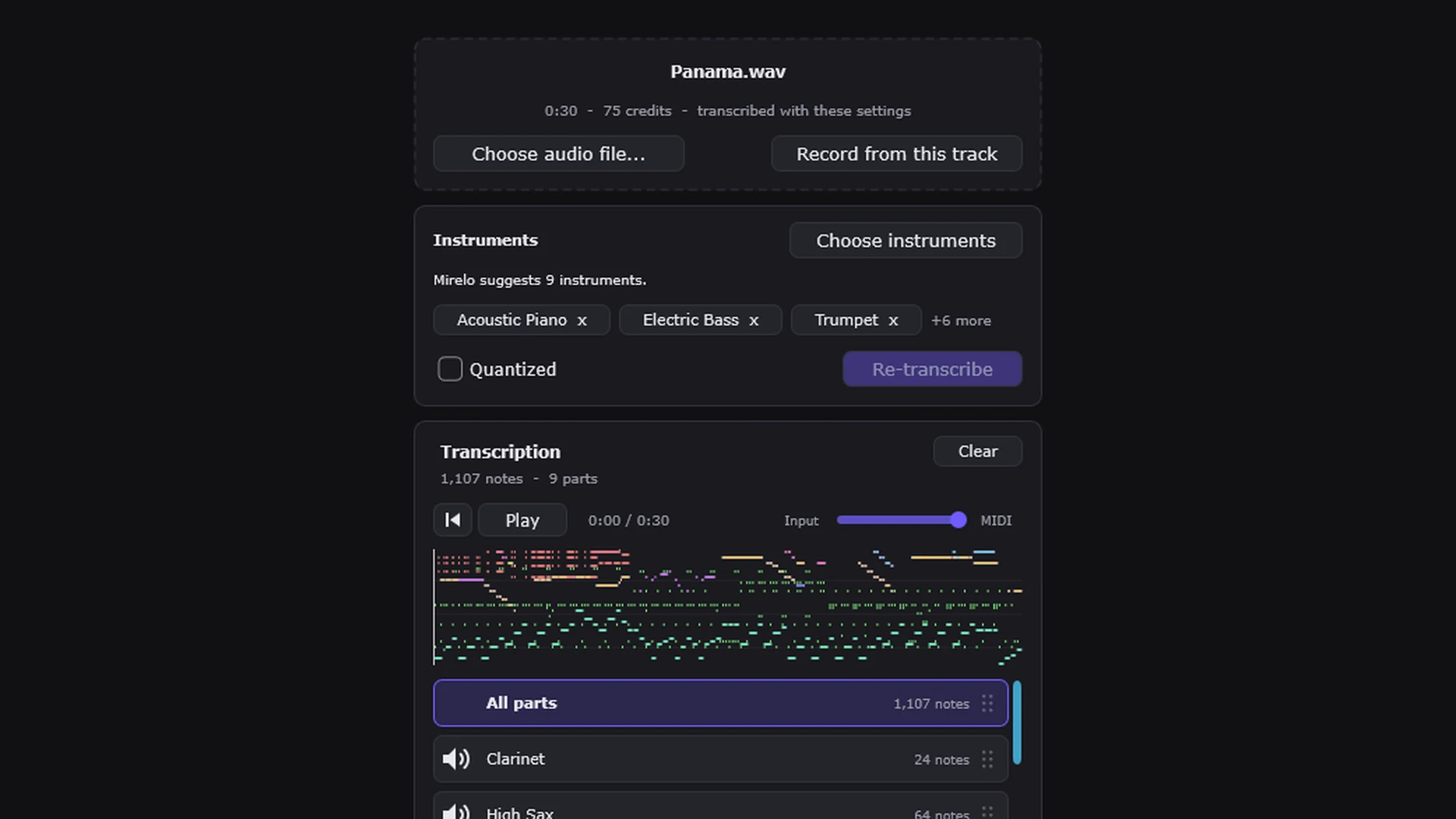
Put Mirelo Audio-to-MIDI on the track you want to convert and sign in with your Mirelo account.
Drag an audio file onto the plugin, or press Record from this track and play it, so there is nothing to export first. Recording runs in real time.
Mirelo listens first and suggests the instruments it hears. Keep them, change them, or transcribe with no guidance at all.
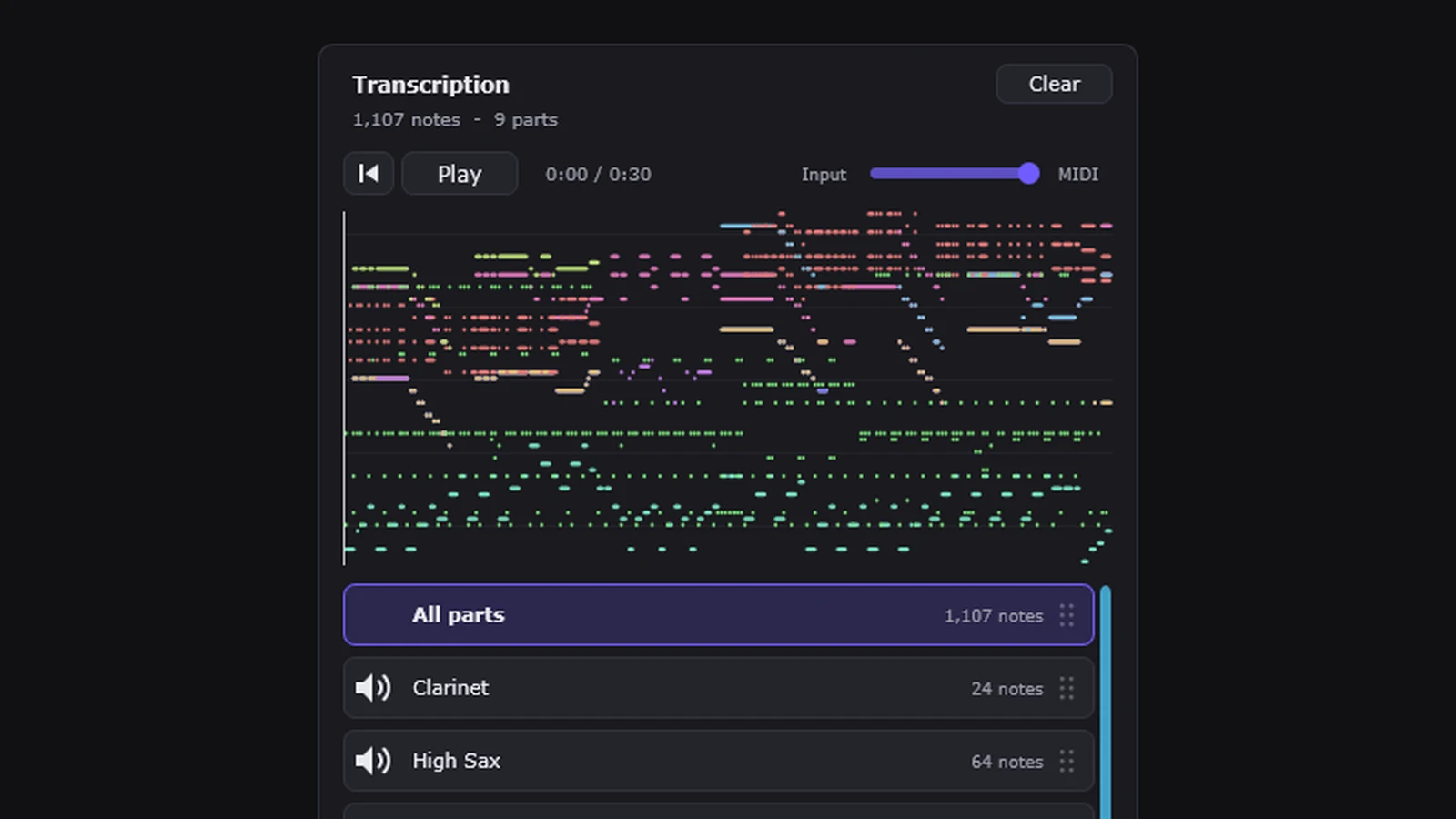
Each instrument arrives as its own MIDI file, plus one file with every part. Drop them onto MIDI tracks and load any sound you like.
Play the MIDI inside the plugin before it goes anywhere near your session. With a recording or a WAV, AIFF or FLAC file, you can slide between the original and the MIDI to hear how close they are, mute parts to check them one at a time, and switch to Quantized when you want the notes on the grid.
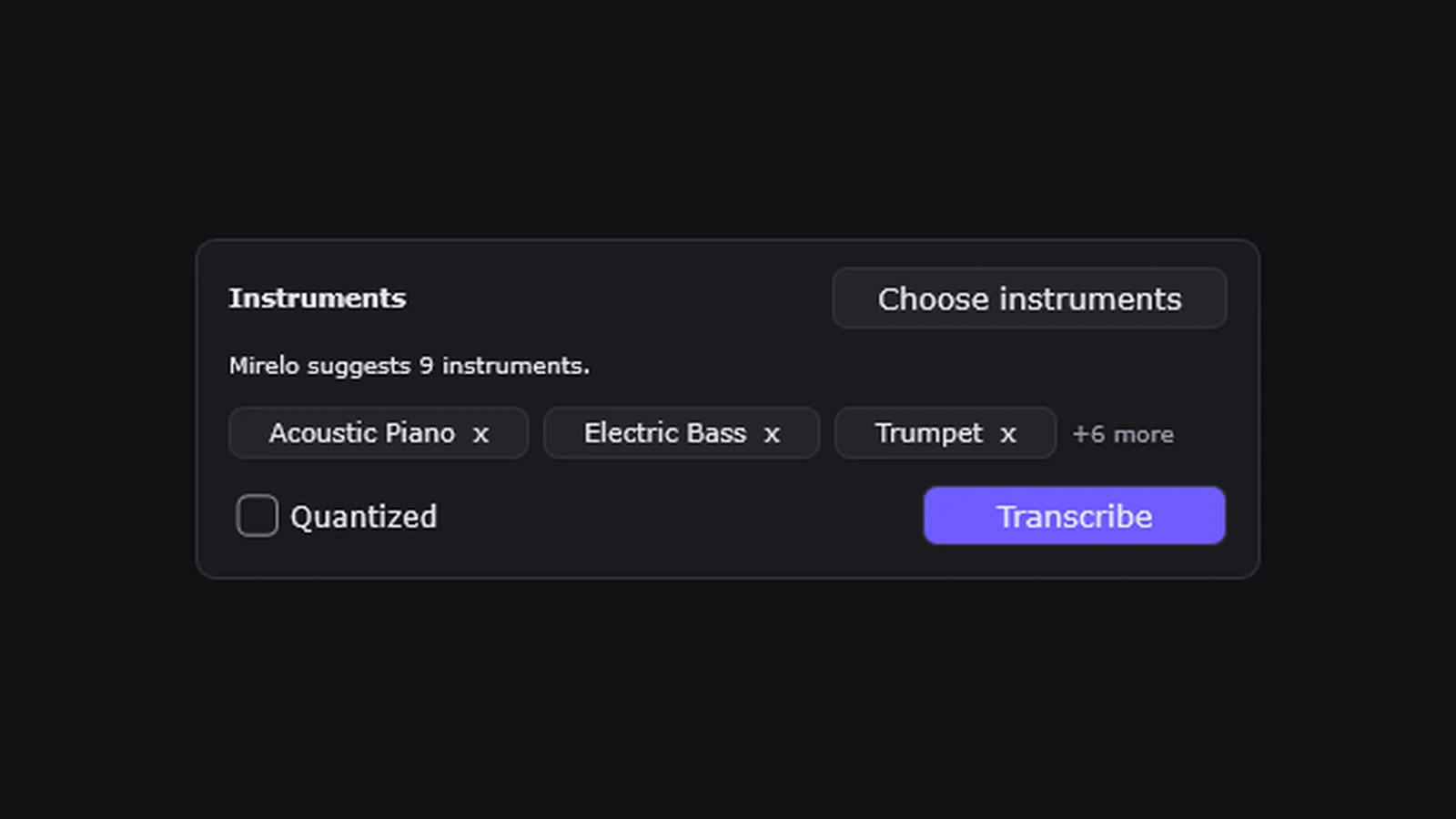
Mirelo listens before it transcribes and tells you which instruments it hears, such as piano, guitar, bass, drums or vocals. Keep its picks, choose your own, or leave it to the model.
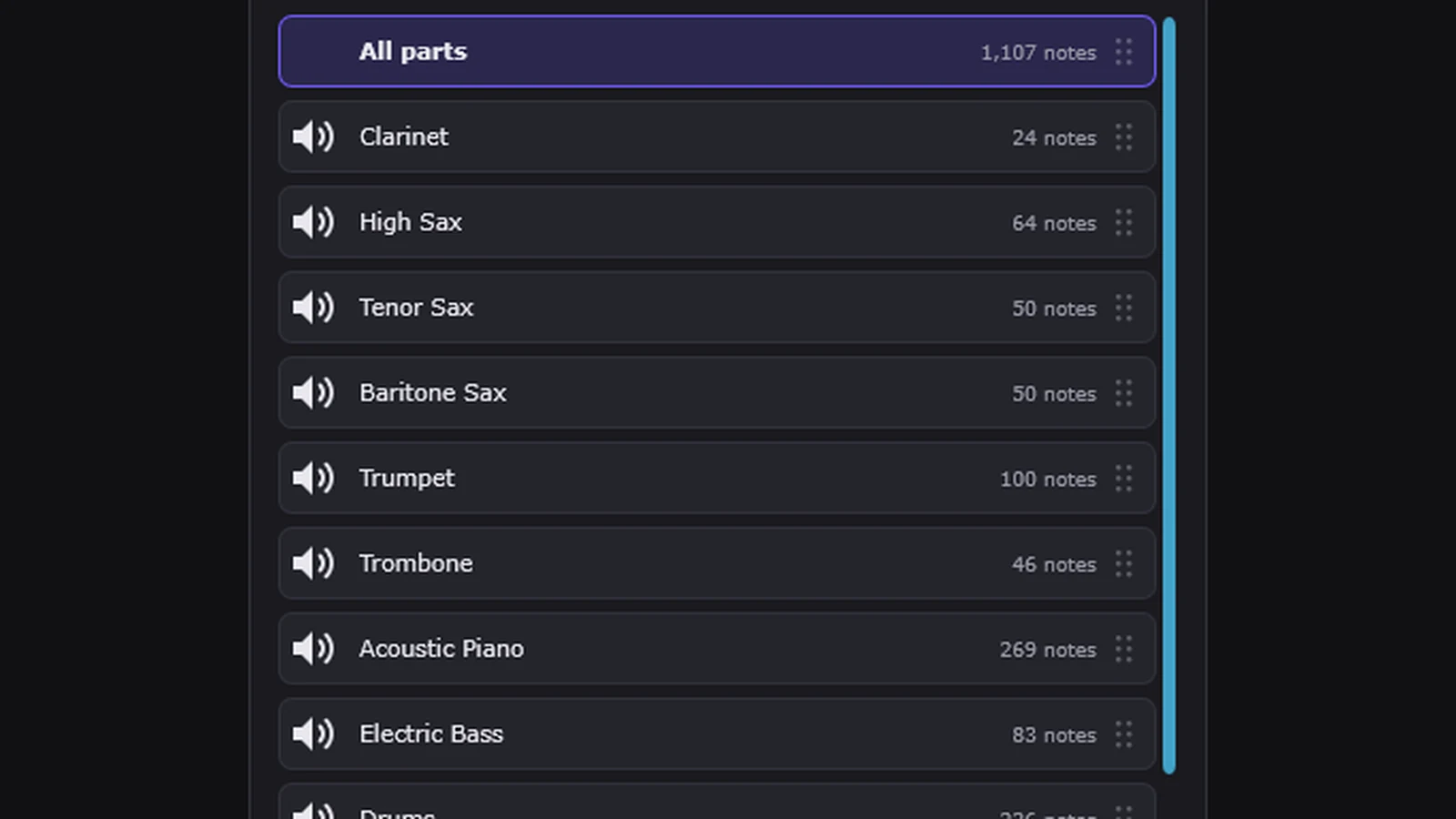
Drop in a full mix and you do not need to split stems first. Mirelo handles chords and several instruments playing at once, and gives each one its own MIDI file next to a file with every part, so you can drag in just the bass line or the whole arrangement.
Tested in Ableton Live. As a standard VST3 plugin, it is built to run in FL Studio, Cubase, Studio One, Bitwig Studio, REAPER, Reason and any other DAW that loads VST3 plugins.
macOS 11 or later, on Apple silicon or Intel. Windows 10 or later, 64-bit.
Transcription runs on Mirelo's servers, so you need an internet connection. It uses the same credit balance as Mirelo Studio, and the free plan's 5,000 credits a month cover about 33 minutes of audio.
Logic Pro and GarageBand need Audio Unit (AU) plugins and Pro Tools needs AAX, so they cannot load Mirelo Audio-to-MIDI yet.
Mirelo Audio-to-MIDI is an AI Audio-to-MIDI VST3 plugin that runs inside your DAW. Put it on the track you want to transcribe and it gives you a separate MIDI file for every instrument it hears, ready to drag into your project.
It works in DAWs that load VST3 plugins, on macOS and Windows. We have tested it in Ableton Live, and it is built to run in FL Studio, Cubase, Studio One, Bitwig Studio, REAPER, Reason and other VST3 hosts.
Not yet. Logic Pro and GarageBand load Audio Unit (AU) plugins and Pro Tools loads AAX plugins, and Mirelo Audio-to-MIDI is VST3 only for now.
It converts full songs and mixes, and you do not need to separate stems first. It picks out the instruments playing at the same time, chords included, and returns each one as its own MIDI file plus one file with every part. It works on a single take too, like a bass line or a piano part.
It picks out the instruments it hears in a full mix, such as piano, guitar, bass, drums and vocals, and gives each one its own MIDI file. Before it transcribes, the plugin shows you the instruments it found, so you can keep them, pick your own or let the model decide.
It depends on the recording. Clear parts in a clean mix come out closer to the original than dense, heavily processed audio, which is why you can check every part in the plugin before you drag it in, and fix any note in your DAW's piano roll afterwards.
Pull the parts out of a finished track and keep producing with them, replay a recording with your own sounds, flip a sample or loop, or write down a part you played. Each instrument arrives as its own MIDI file, so you can edit the notes, change the key or swap the sound in your DAW.
The plugin is free to download. Transcription uses credits from your Mirelo account at 2.5 credits per second of audio, and the free plan's 5,000 credits a month cover about 33 minutes. See pricing for paid plans.
Yes. Transcription runs on Mirelo's servers, so the plugin uploads your audio and sends the MIDI back to your DAW.
macOS 11 or later on Apple silicon or Intel, and Windows 10 or later (64-bit). There is no Linux version at the moment.
Yes. Press Record from this track in the plugin and play the track. Recording runs in real time, so a four-minute song takes four minutes to capture, and dropping in a file is faster.
Run the installer for your system, the .pkg on macOS or the setup .exe on Windows, and it puts the plugin in your VST3 folder. Restart your DAW, then add Mirelo Audio-to-MIDI to an audio track.
Up to 30 minutes per transcription, which covers a full-length song in one go.
A MIDI file dropped into a DAW lands on a track with no instrument. Load an instrument on each MIDI track to hear it.
The plugin gives you MIDI for your DAW. For MusicXML, sheet music PDFs, guitar and bass tablature, or lyrics under the vocal notes, use Audio-to-MIDI in Mirelo Studio with the same account.
Download it for macOS or Windows, sign in, and drop in your first track.